

When it comes to inventory, the difference between paper-based work with subsequent manual entry in SAP and digital data capture via mobile device becomes particularly clear. Counts based on printed counting lists are time-consuming, personnel-intensive, and prone to errors. In contrast, scanner-based counts take place in less time, with fewer employees and measurably higher count quality—in other words, lower inventory discrepancies.
Do you have questions about mobile solutions?
Auditors vs. Warehouse Management
Classical inventory counting with printed inventory documents is still common, even in companies that already rely on mobile data capture in other warehouse areas. When asked why inventory is not also mapped digitally, the objection is often raised that auditors or the controlling department insist on a paper-based count. The background is often the concern that the 4-eyes principle (dual control principle) required in many companies cannot be fulfilled by counting via an inventory app.
There is good news for warehouse and logistics managers: App-based counts also take the 4-eyes principle into account. The counter is uniquely identified by their login to the app and can process their counts mobile. The count results are written to the SAP inventory document via WLAN. The count document is, in turn, checked and, if necessary, approved by a responsible employee in a downstream step.
RF Dialog, Fiori App, or Specialized Logistics App?
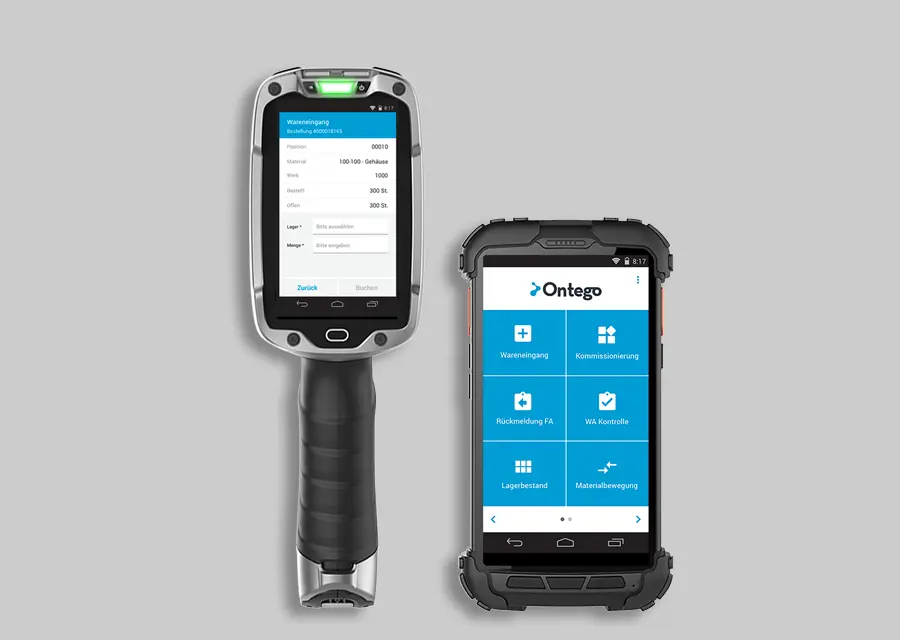
Which MDE technology is used depends on various factors. From the perspective of logistics management, what counts in case of doubt is the fit and acceptance by the employees. This means the app should support the inventory approach chosen by the company. Superfluous dialogs and inputs should be avoided, e.g., through one-time queries, pre-filtering of relevant warehouses or storage types, as well as automatic pre-population of fields. Furthermore, warehouse staff should not have to be SAP experts to operate the mobile solution. Practically, this means that SAP logic should not be in the foreground, but rather an intuitive and guided app process.
Recommendation: Use Count Numbers
Experience shows that it makes sense to uniquely mark every single count of a material or a Handling Unit. In practice, this can be done, for example, via a band with consecutive numbering. This makes the counting process unique and physically assignable to the counted object. Controls can be carried out easily in this way. Alternatively, mobile inventory naturally also works without a physical count tag.
Live in 90 days
Optimize your warehouse effortlessly and cost-effectively with the Ontego subscription model.
Prerequisite for the Efficient Use of Scanners
A basic prerequisite for an optimal inventory process is the labeling of materials and, if applicable, storage locations—in WM or EWM-managed warehouses, correspondingly also the storage bins—with unique barcodes.
Regardless of whether the inventory is carried out on a key date or continuous inventory is chosen, the count is usually based on inventory documents previously created in SAP.
Alternatively, mobile software like Ontego can automatically create the corresponding count document in the background during an ad-hoc inventory. Here, an inventory document with a defined number of items is automatically created in SAP based on the initially recorded storage location and stock type.
Example: Inventory in MM Storage Location
A crane manufacturer maps the inventory via continuous counting. Only unrestricted stock including defined special stocks is counted. Not mapped in the legacy process, but implemented in the mobile inventory app, is the recording of serial numbers. For material subject to serial number requirements, counting takes place by recording the numbers (manually or via scan).

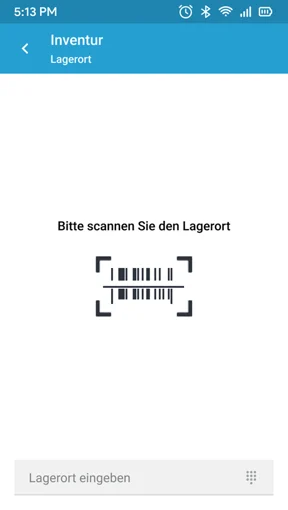
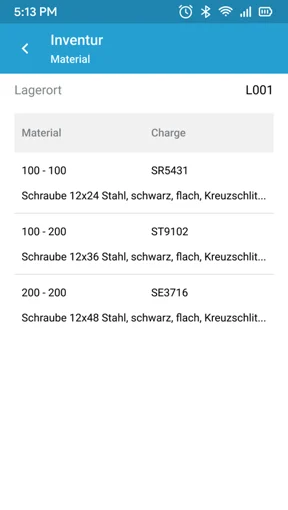

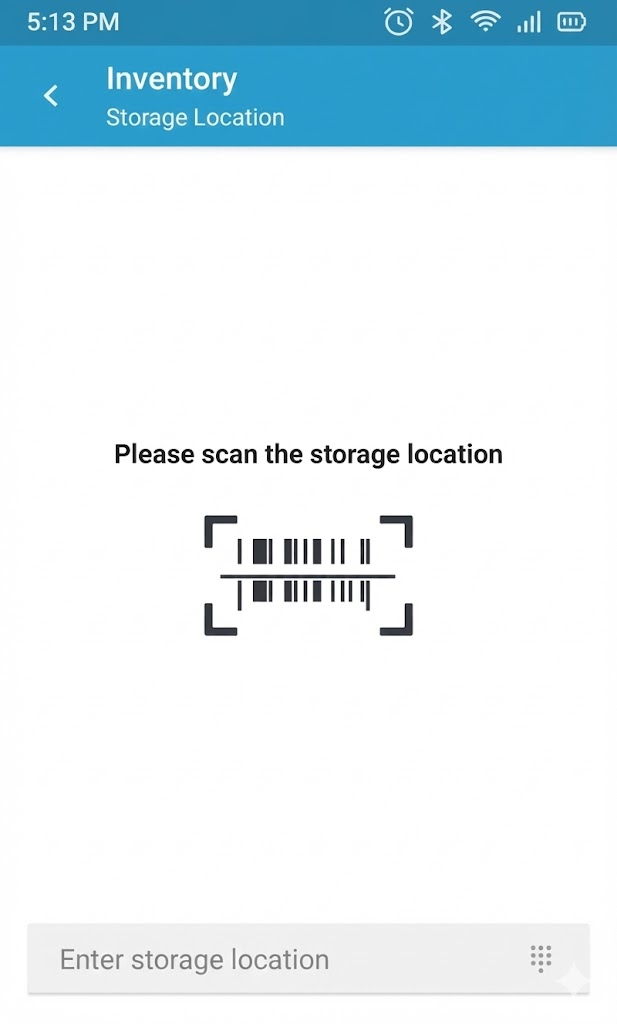
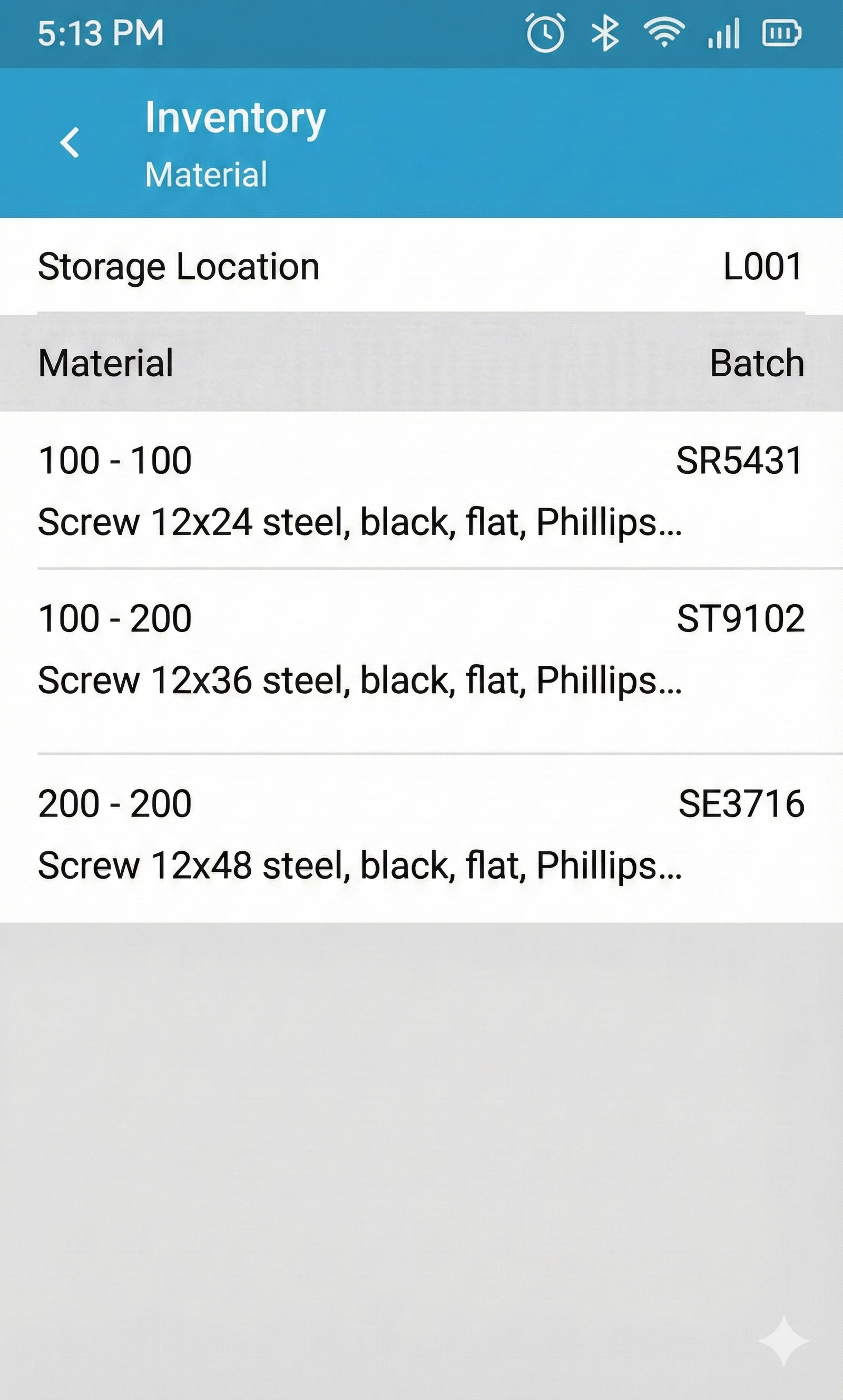
Fig. 1: In the first step, the storage location in which the continuous inventory is to be carried out must be selected manually or via scan.
If a material is found multiple times, a cumulative count can be used, in which case the recommended count number takes on special significance.
Example: Inventory with SAP EWM, WM, or Stockroom Management
The manufacturer of machines for printed circuit board production uses an Ontego solution for continuous inventory at the storage bin with SAP WM. The inventory documents are created in advance in the SAP system. The following data must be recorded per counting process:
- Material
- Batch (depending on the batch management of the material)
- Quantity
- Unit of measure (pre-filled with WM unit of measure if available, otherwise base unit of measure)
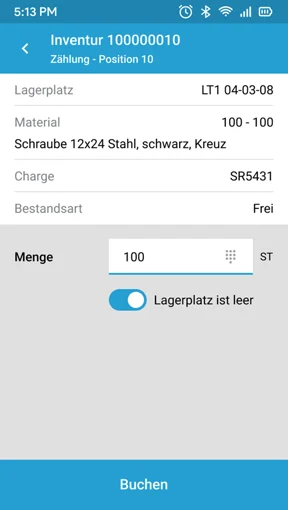
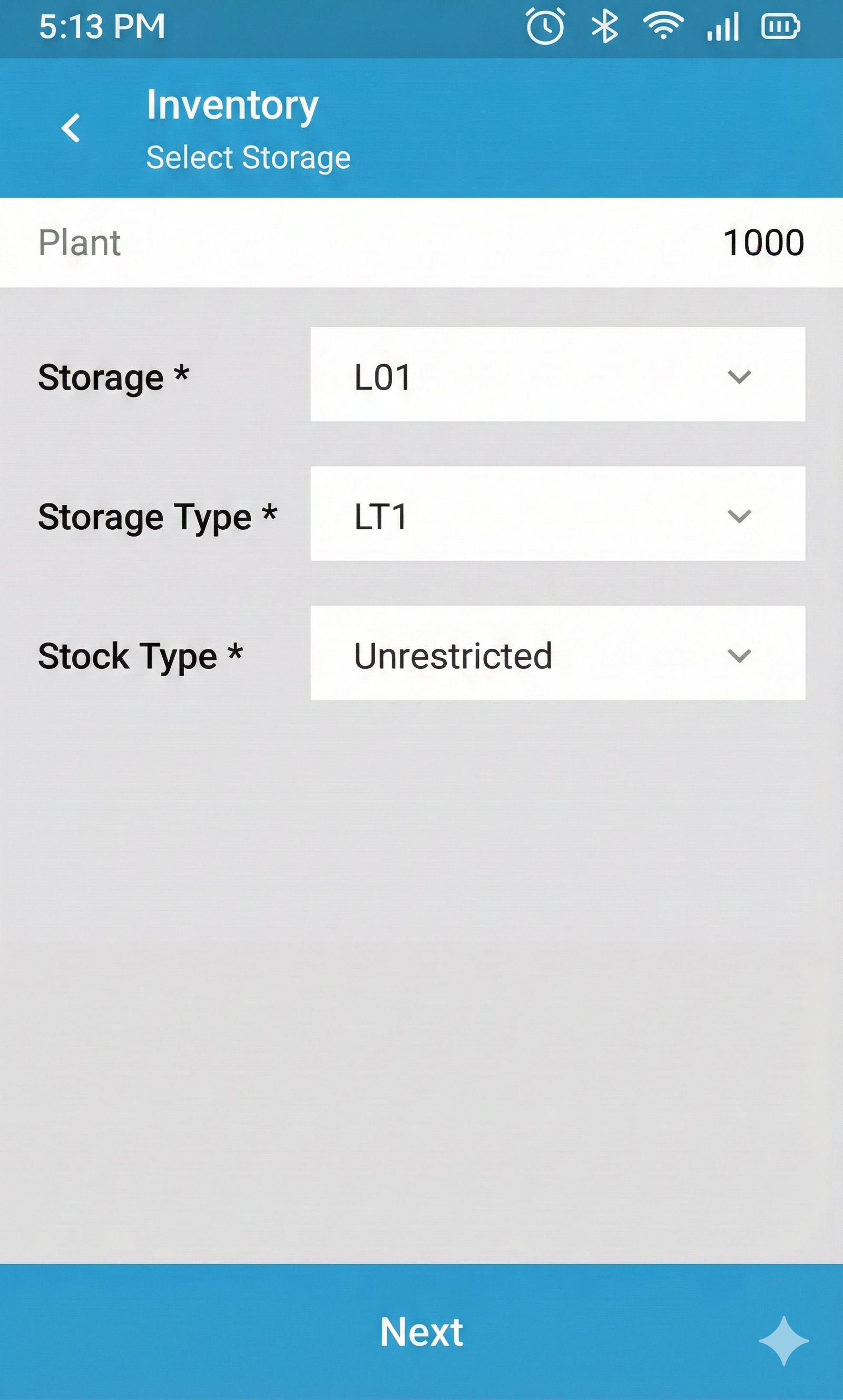
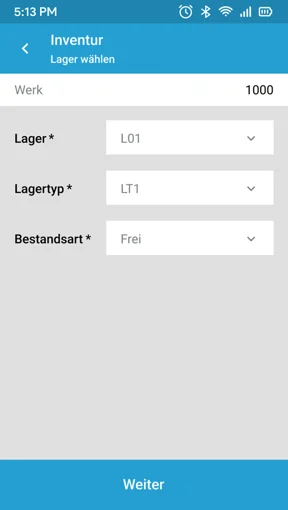
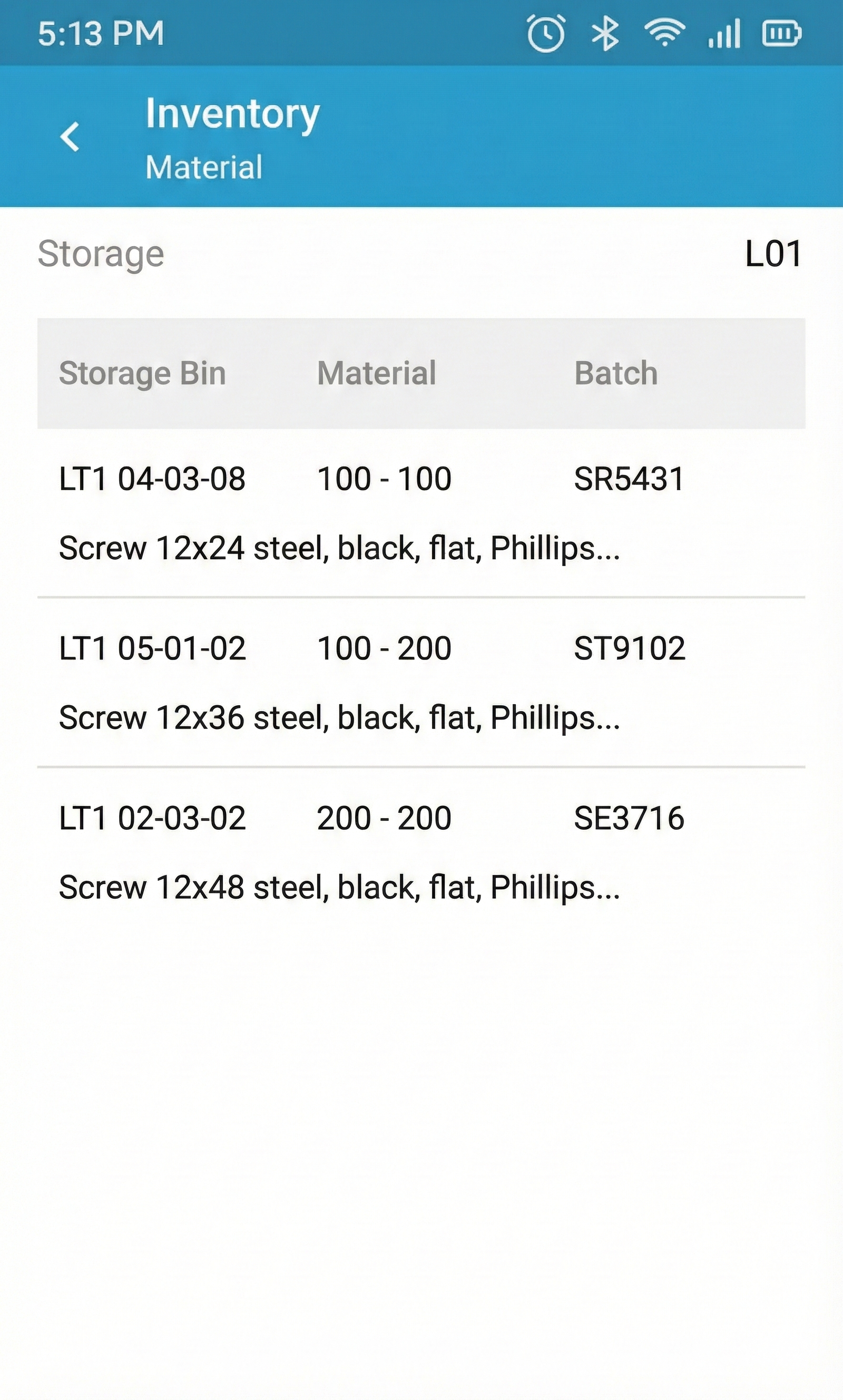
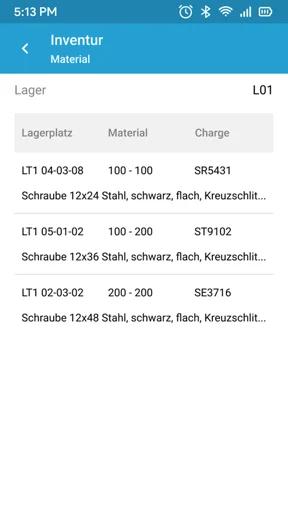
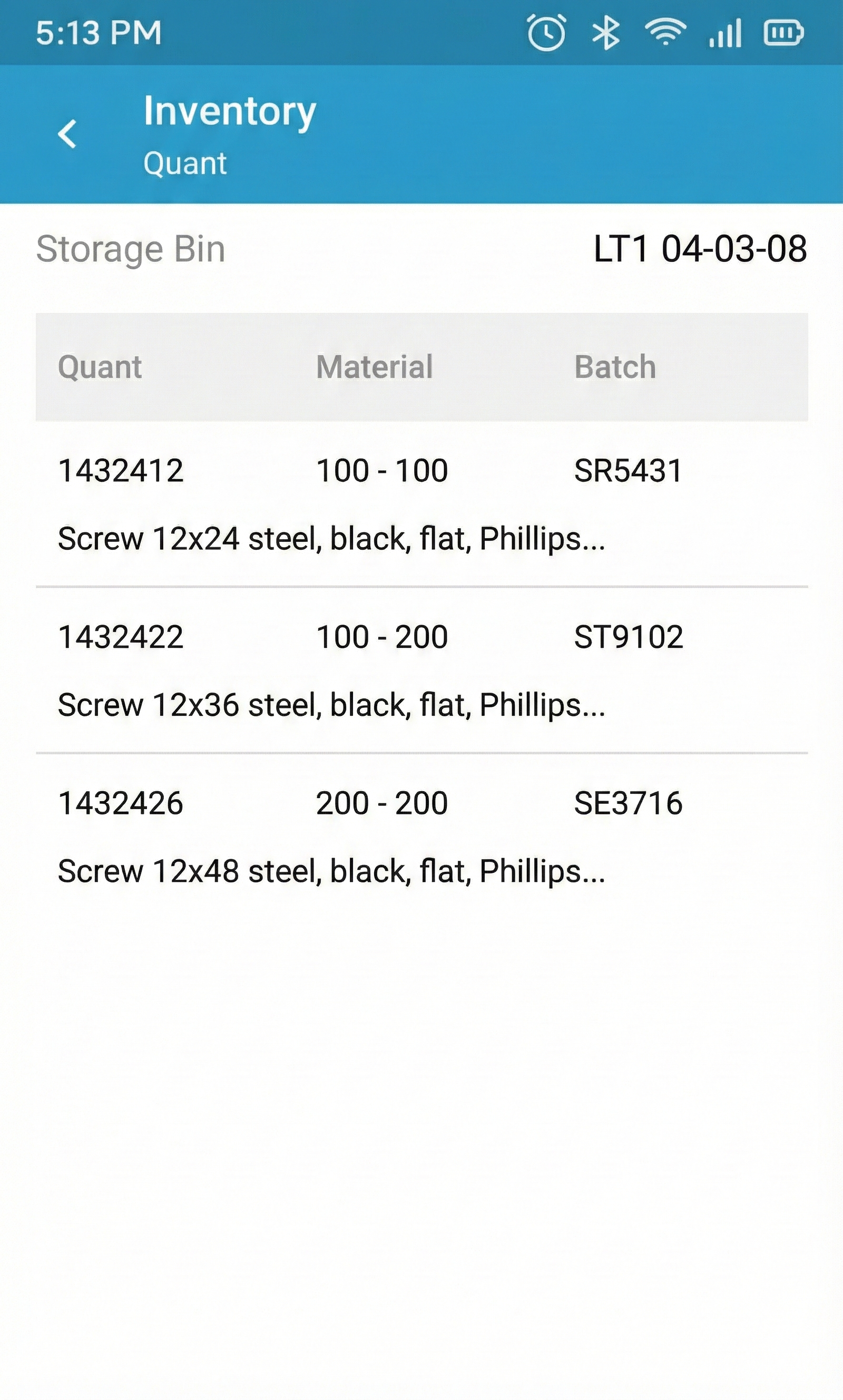
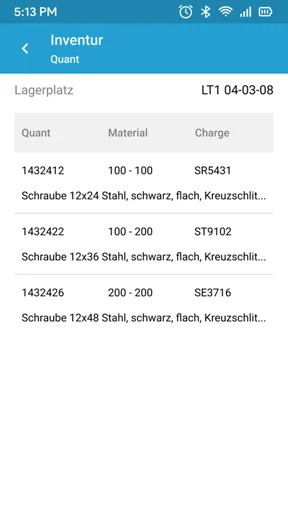
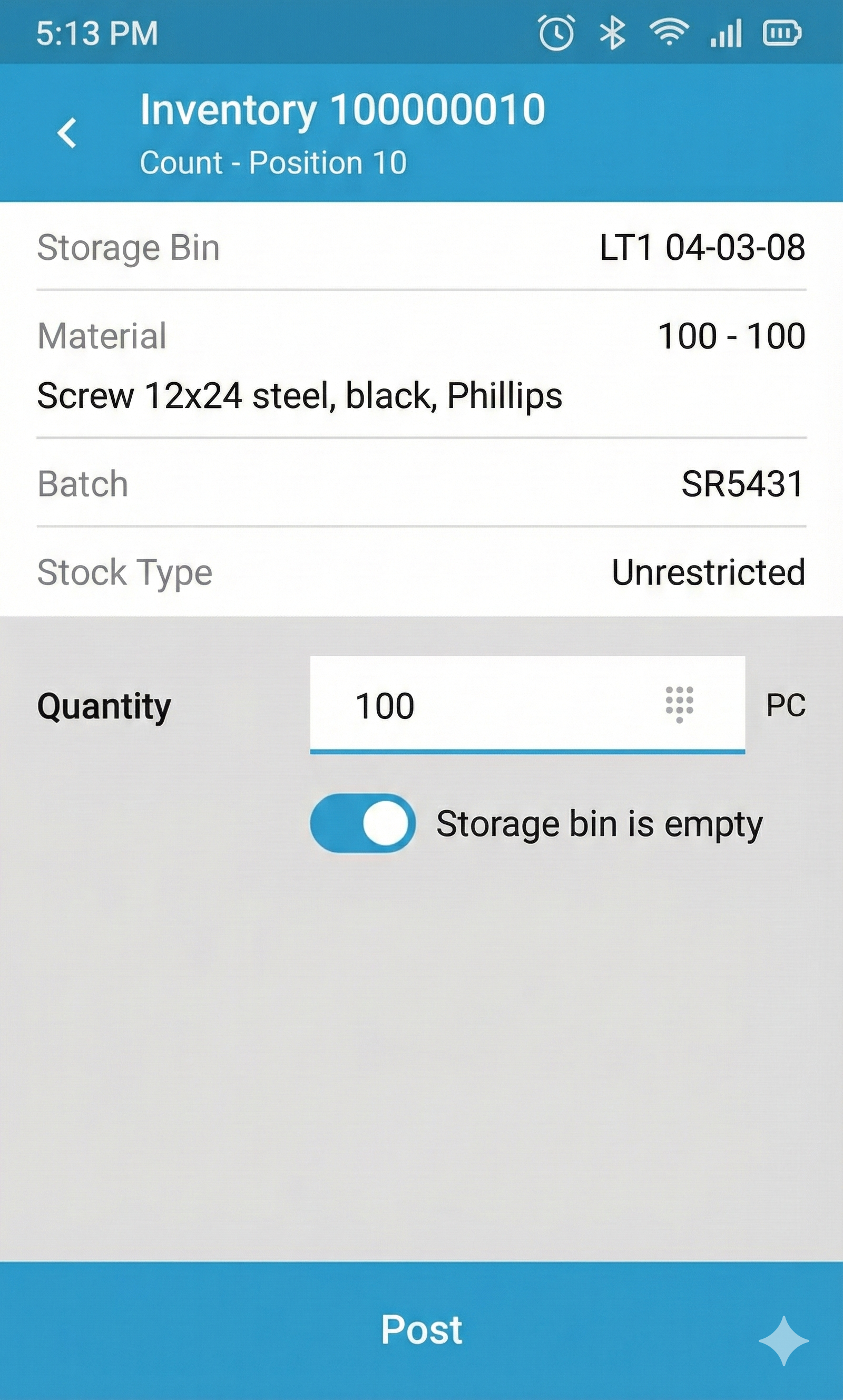
Fig. 1: Entry into the mobile inventory on the mobile device takes place by entering the warehouse number, storage type, and, if applicable, stock type.
The counting process can be repeated for the current storage bin until all storage quants have been counted. If a material is found that is not currently on the storage bin, a warning message is displayed to the user. Each storage quant can only be captured once.
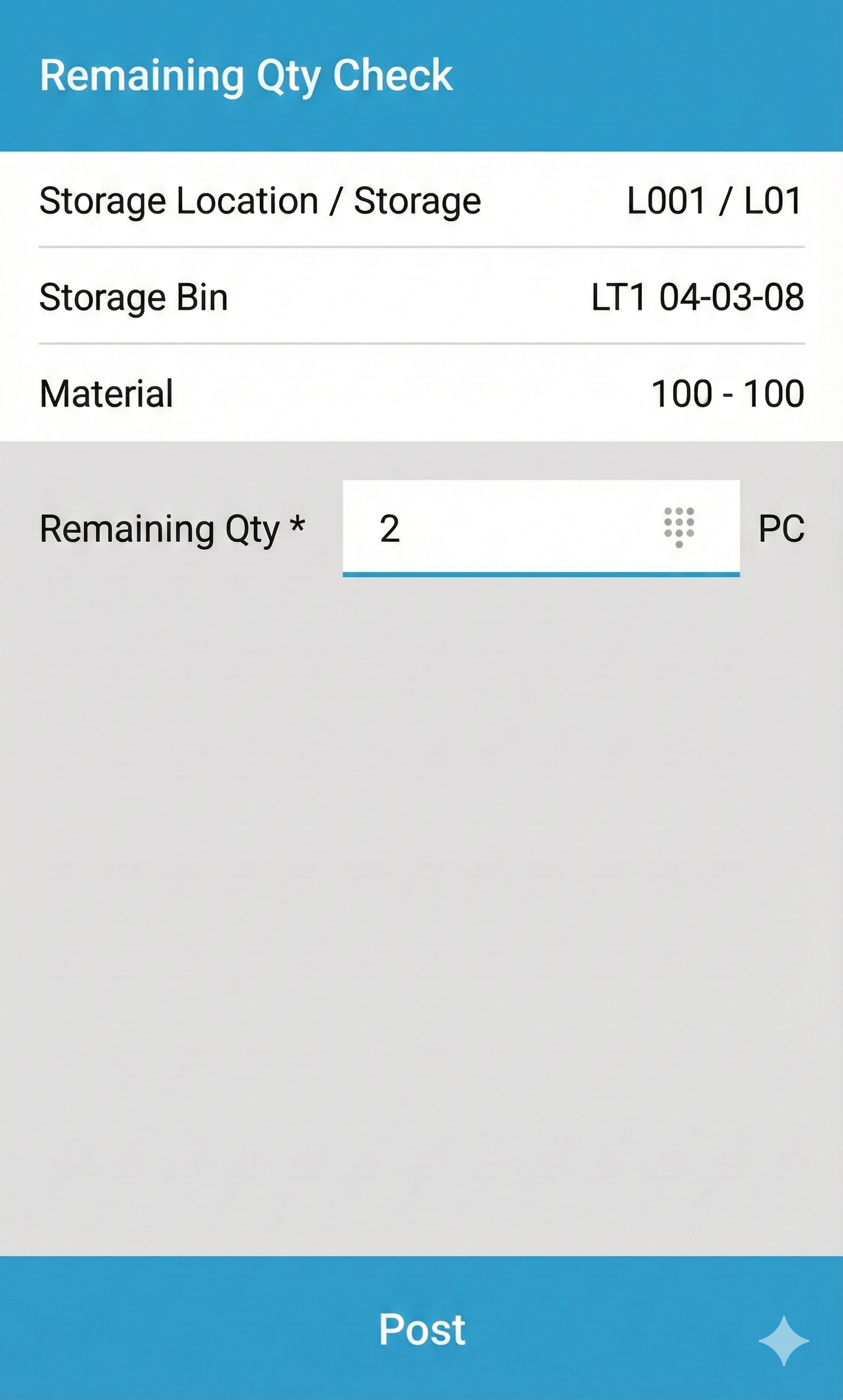
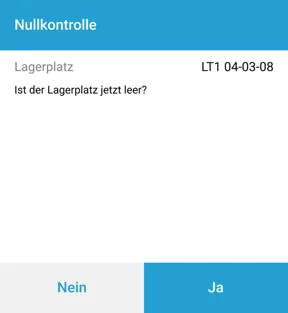
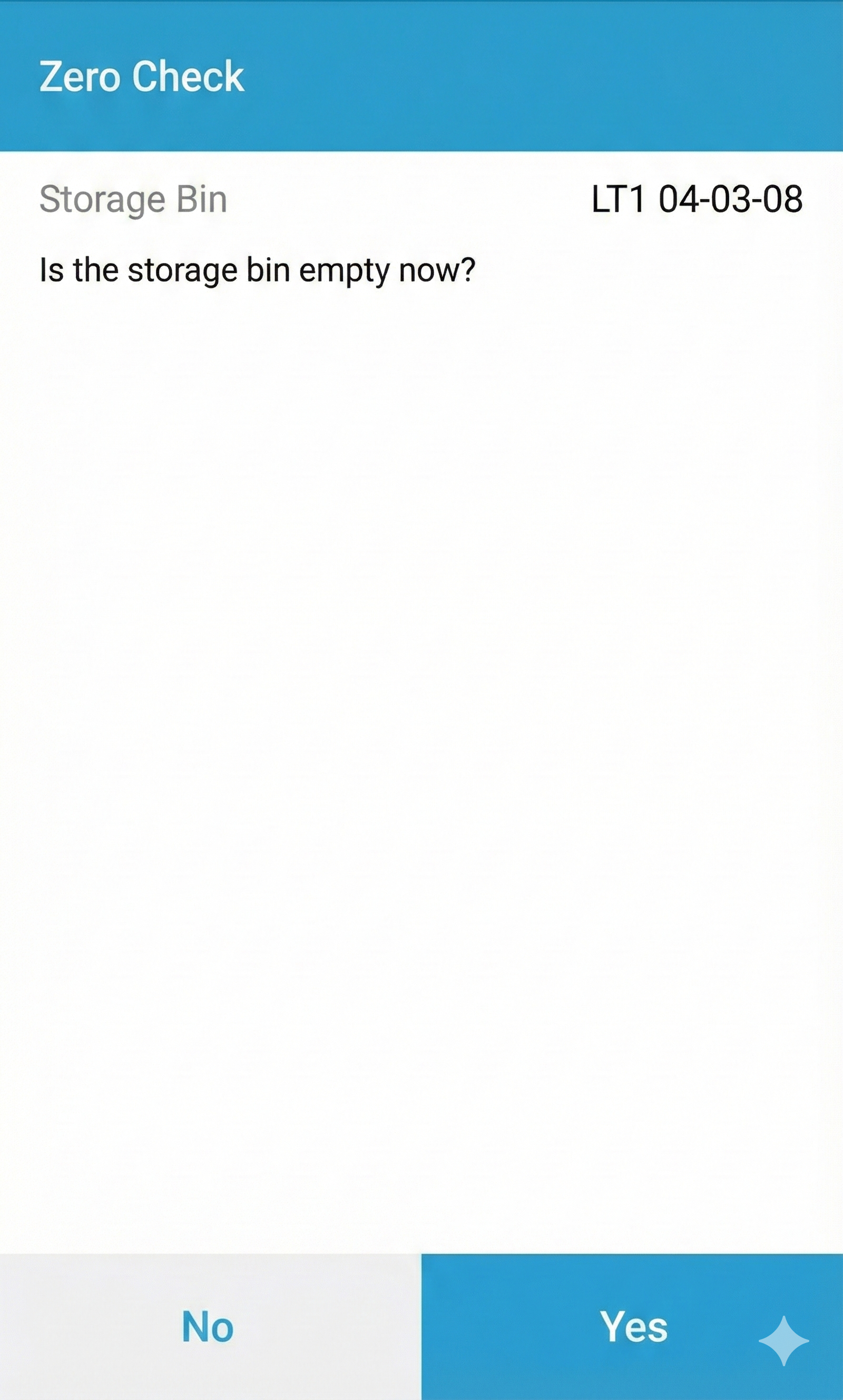
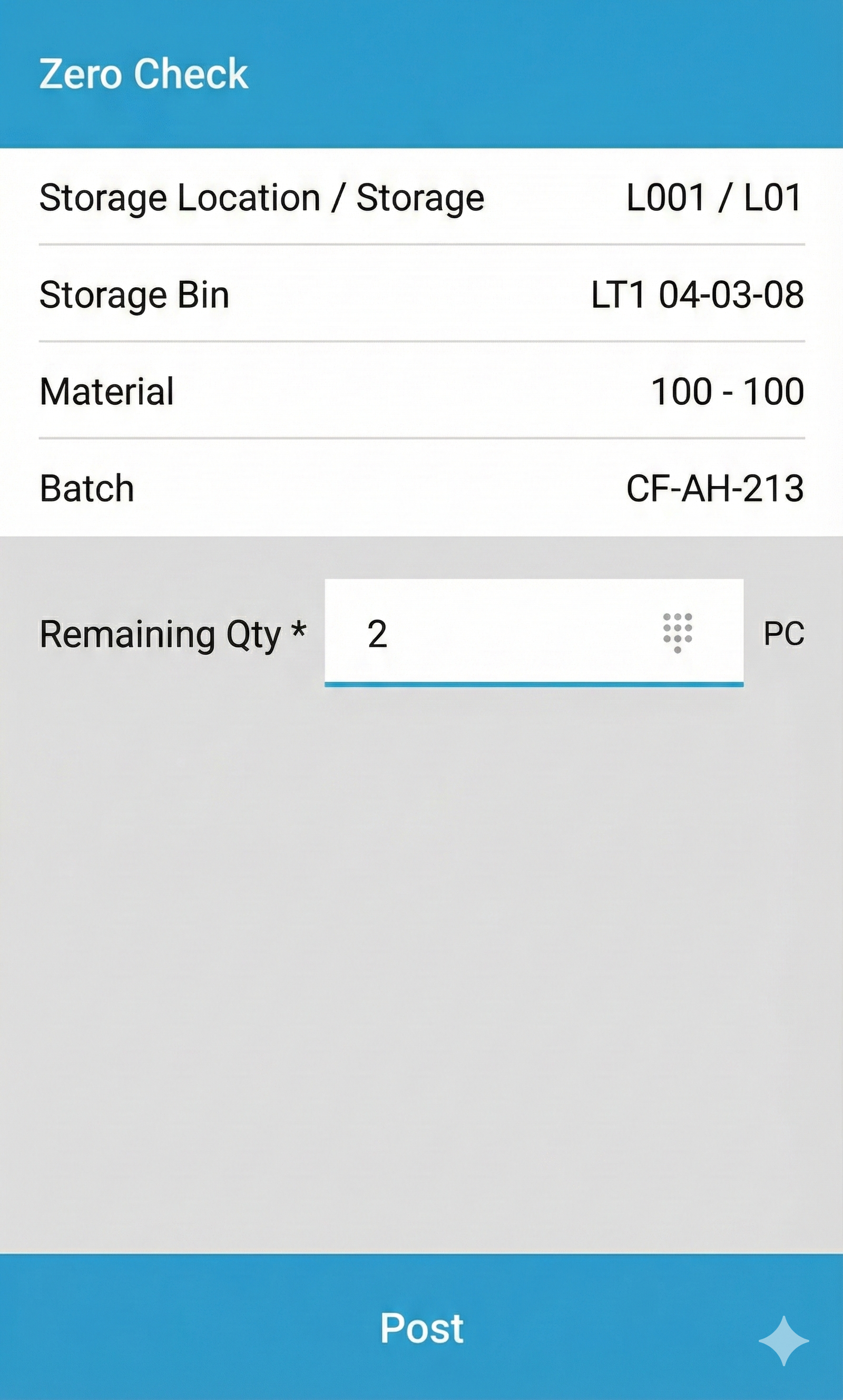
Example: Zero Stock Check and Remaining Quantity Check
Particularly during material withdrawal, e.g., in the course of SAP-guided picking or during stock transfers and retrieval, both the zero stock check and the remaining quantity check can be integrated into the operative processes.
Whether or when a zero stock check or remaining quantity check is carried out can be made dependent on SAP standard mechanisms (e.g., indicator on the transfer order) or on freely definable criteria in Ontego.
.webp)

Example: Stock Correction
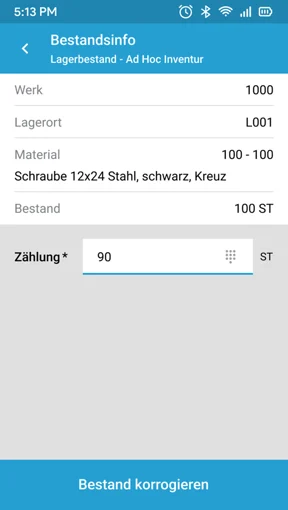
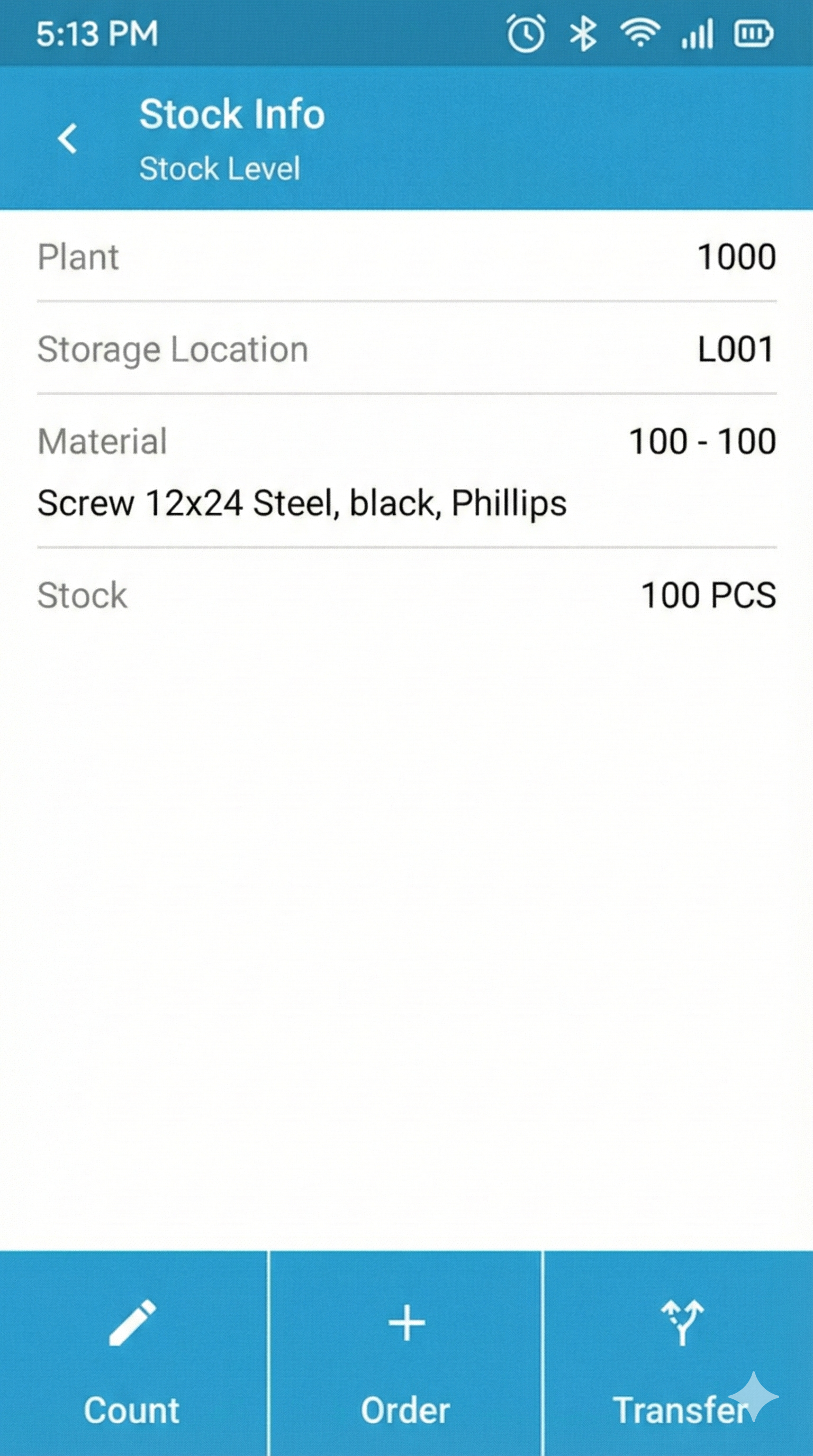
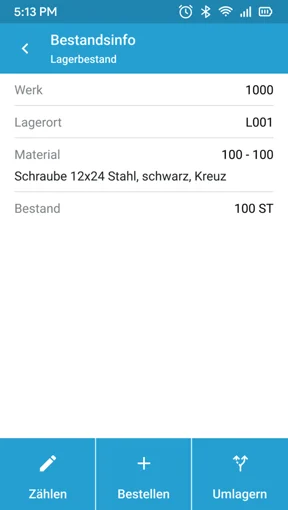
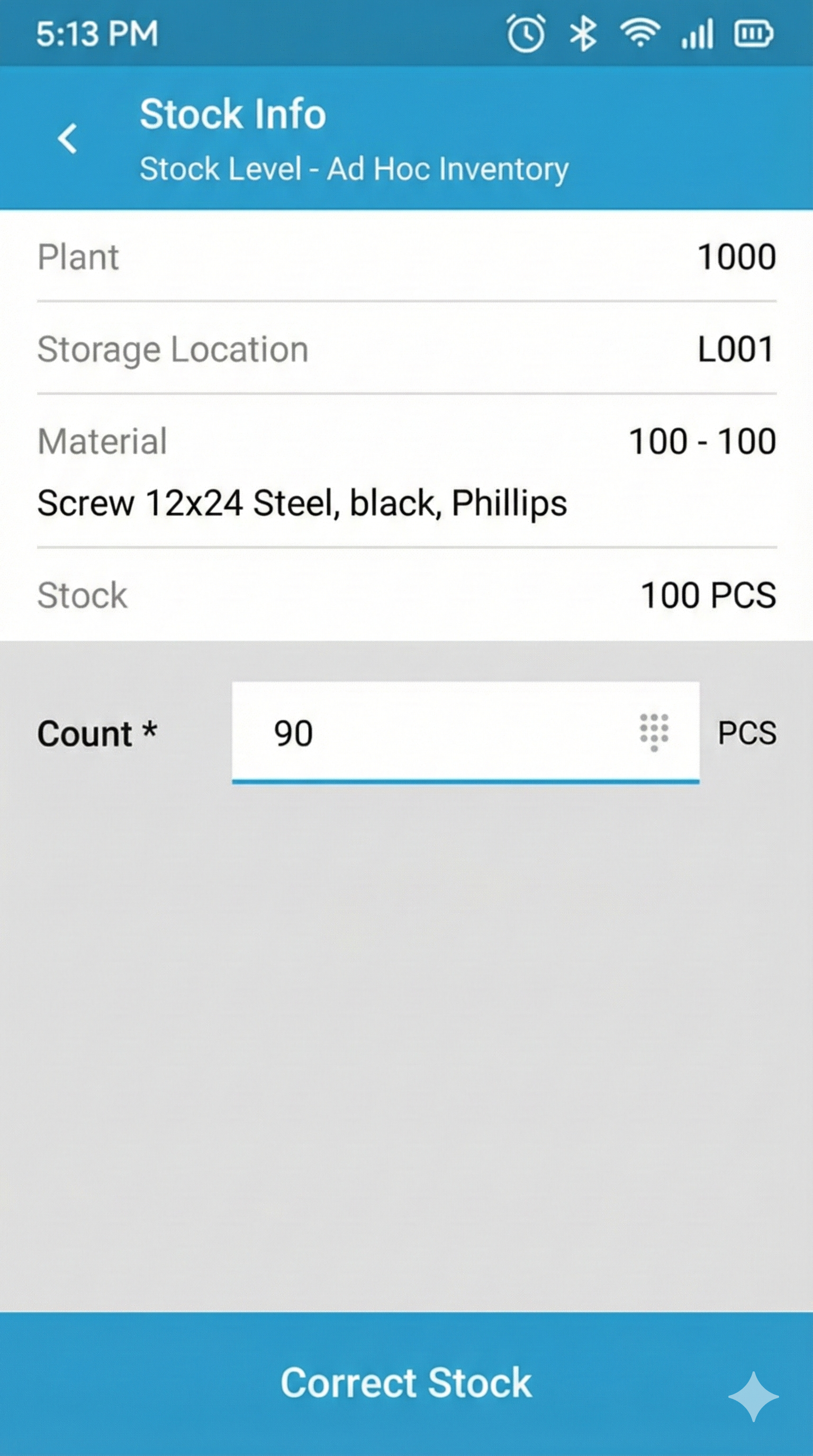
In the case of stock correction, a count can be carried out in a storage location or on a storage bin without a previously created inventory document. Entry usually takes place via the Stock Information function to identify a specific material.
The quantity known to the system is displayed and can be corrected by entering the actually available quantity. A corresponding inventory document is generated in SAP and the inventory difference is posted.
Inventory Control Before Booking in SAP
Particularly with complex counts or multi-stage counting processes, it can be useful to store the count results in an intermediate layer—outside of SAP first. Why? Via such a separate inventory application based on the Ontego warehouse control station count results can be collected based on the inventory documents generated on the SAP side, checked, and differences thus revealed. If necessary, the employee responsible for the inventory can directly initiate a recount or control count. The booking in SAP only takes place after approval of the count results in the inventory control station.
Conclusion
Scanner-based inventories lead to lower inventory discrepancies and save time and labor. If materials and, if applicable, storage locations are provided with barcodes, counting based on inventory documents can be carried out without problems. Results are then written back directly to SAP counting lists. In addition, stock corrections can be carried out even before booking in SAP.

Know-how
Speak to an expert in mobile data capture in SAP logistics.
.jpg&w=3840&q=75)
%20copy.jpg&w=3840&q=75)