1 OF 3
Efficient Material Flowin Your Warehouse Operations
Bring your SAP processes to mobile devices with Ontego.
Verify the accuracy
of purchase order items
Update and confirm
goods receipt details
Integrate checklists
to ensure secure processes
Pick items
efficiently from storage bin
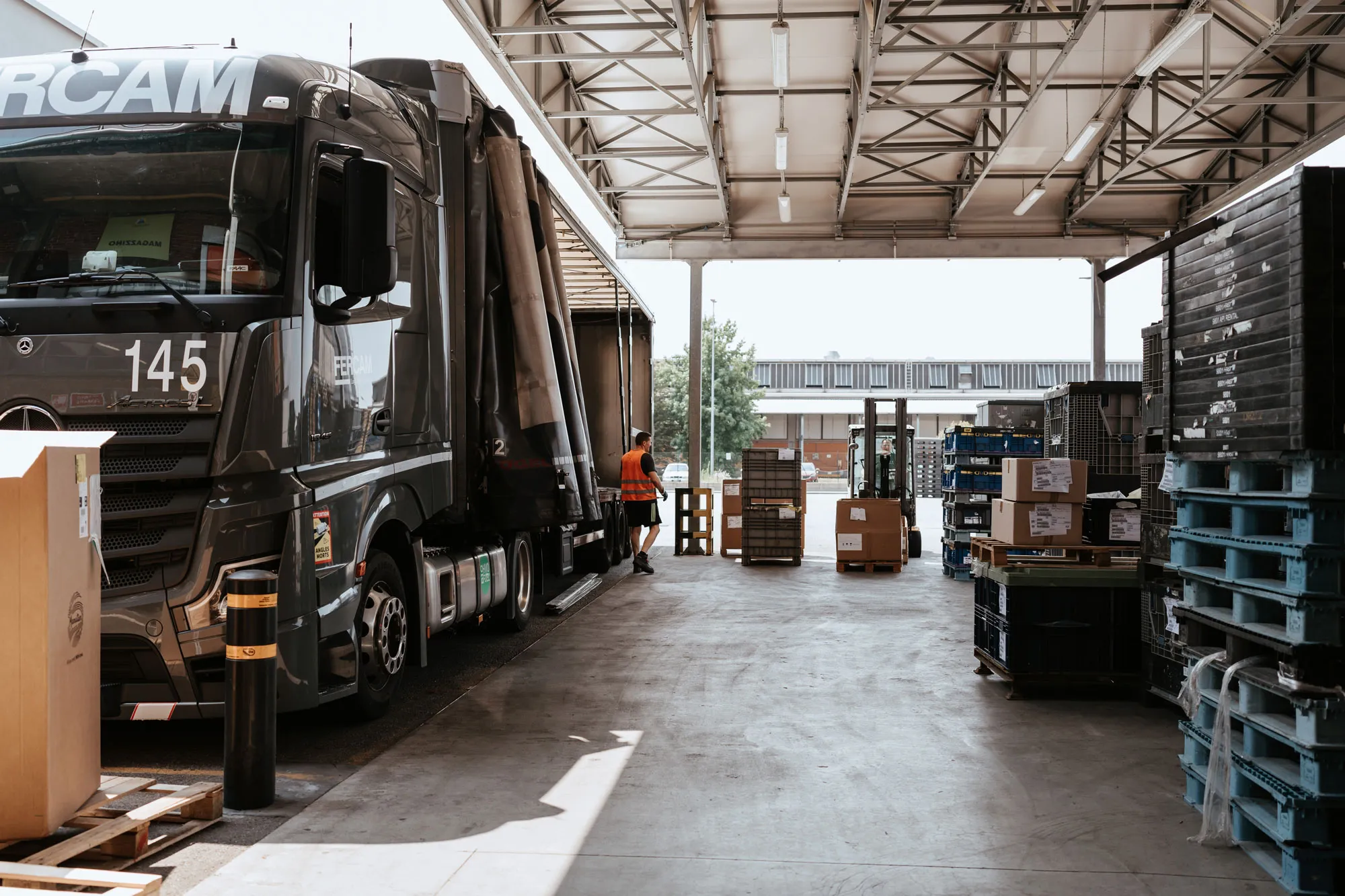
Pack items for shipment
to their destination
SCROLL DOWN
Modern Warehouse Solutions
Ontego includes all essential features for smart and efficient mobile data capture.
Barcode Scanning and RFID Integration
Scan items using your device’s imager for stock counting, picking, and receiving with no extra equipment.
Batch and Serial Number Tracking
Ensure traceability by allowing users to log and track batch and serial numbers through mobile devices.
Label Printing
Let the workers produce labels on the spot both for internal and external purposes and ensure.
Faster Workflow
Save time and reduce errors with a single tool that minimizes manual input.
Automated Warehouse Integration
With other systems such as storage lifts to ensure end-to-end workflow capability.
Gain Full Control with Extra Applications
Add up with a web based warehouse control center for complete overview.
TAKE A SNEAK PEEK
INTO OUR COCKPIT
Curious about our mobile apps? Explore a selection of over 120 templates.
Goods Receipt for Purchase Order
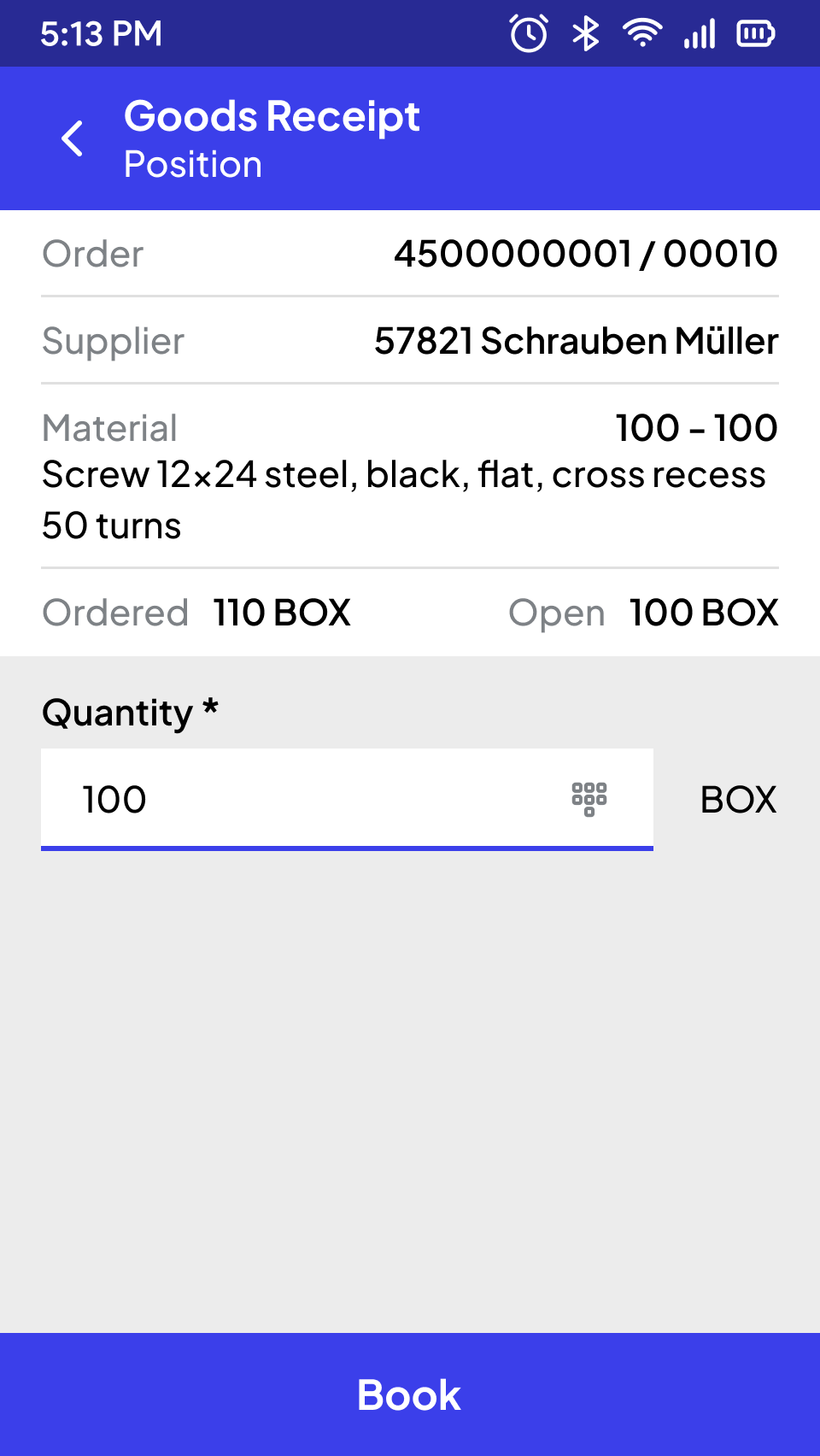
The goods receipt process begins by accessing the purchase order using a barcode scan, OCR recognition, or manual entry. Once identified, the header data is retrieved from SAP and, if needed, presented for completion or correction (e.g., external delivery note number, document date).
Next, the system retrieves the list of open items for the purchase order and displays key details such as item number, material number, description, and open quantity. Users can select an item via barcode scan or touchscreen, opening a detailed view with relevant information (e.g., supplier, ordered quantity). Posting an item is only possible once all mandatory fields—such as delivered quantity, batch, expiration date, or serial numbers—are completed. Beyond SAP validation, the app can perform real-time data checks (e.g., allowing or restricting excess/short quantities) to ensure smooth and accurate entry, minimizing errors and enhancing user convenience.
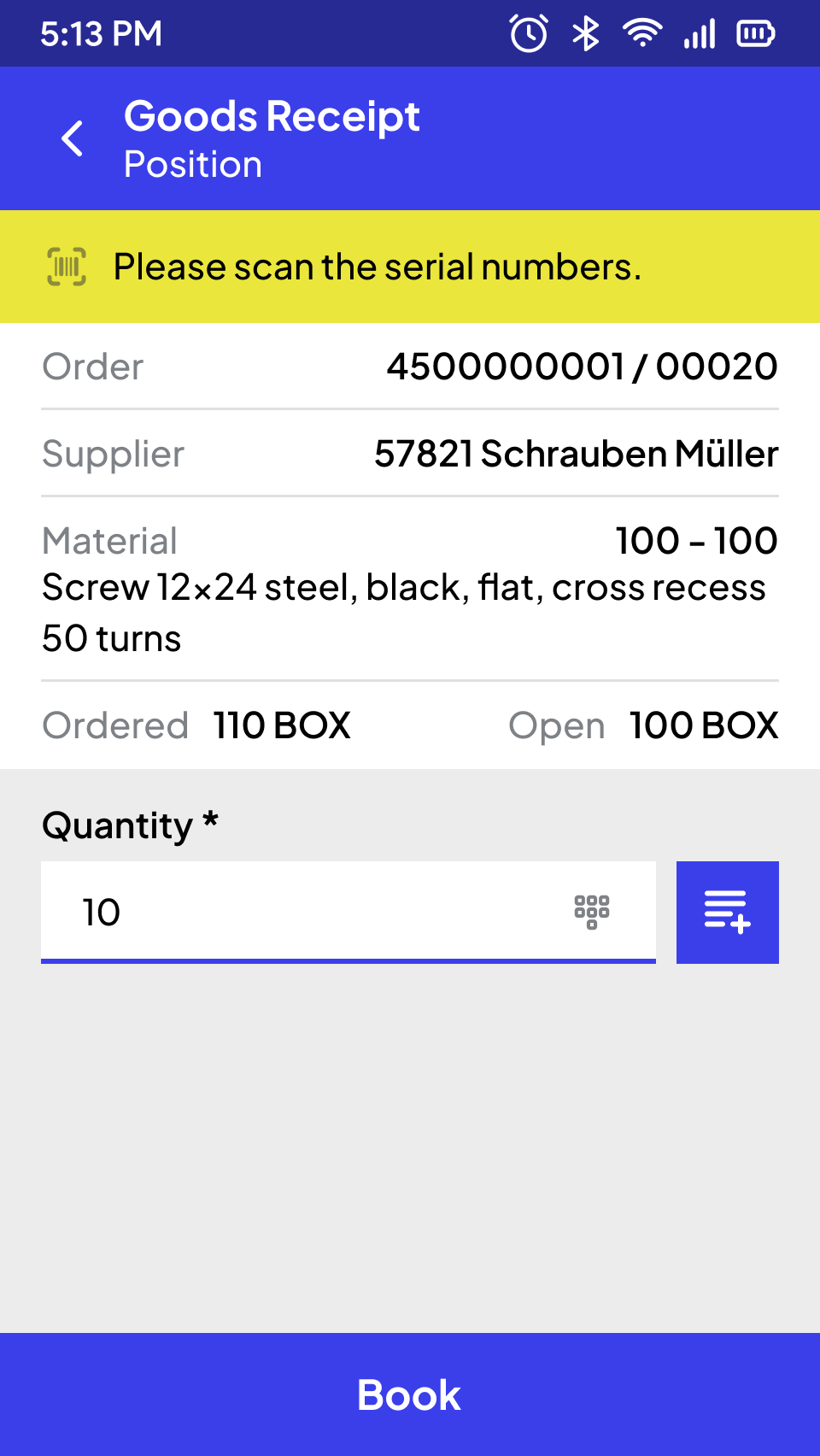
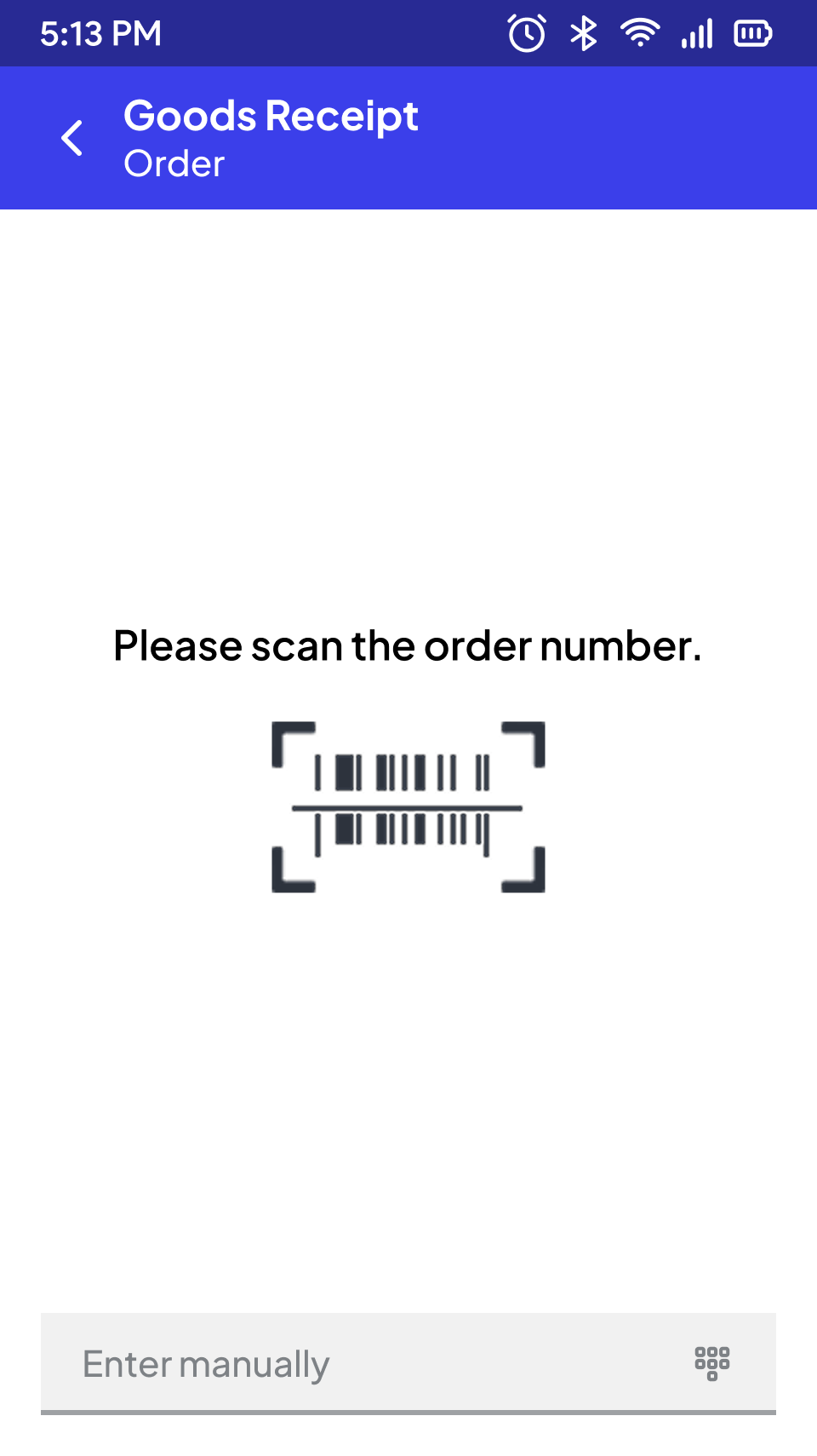
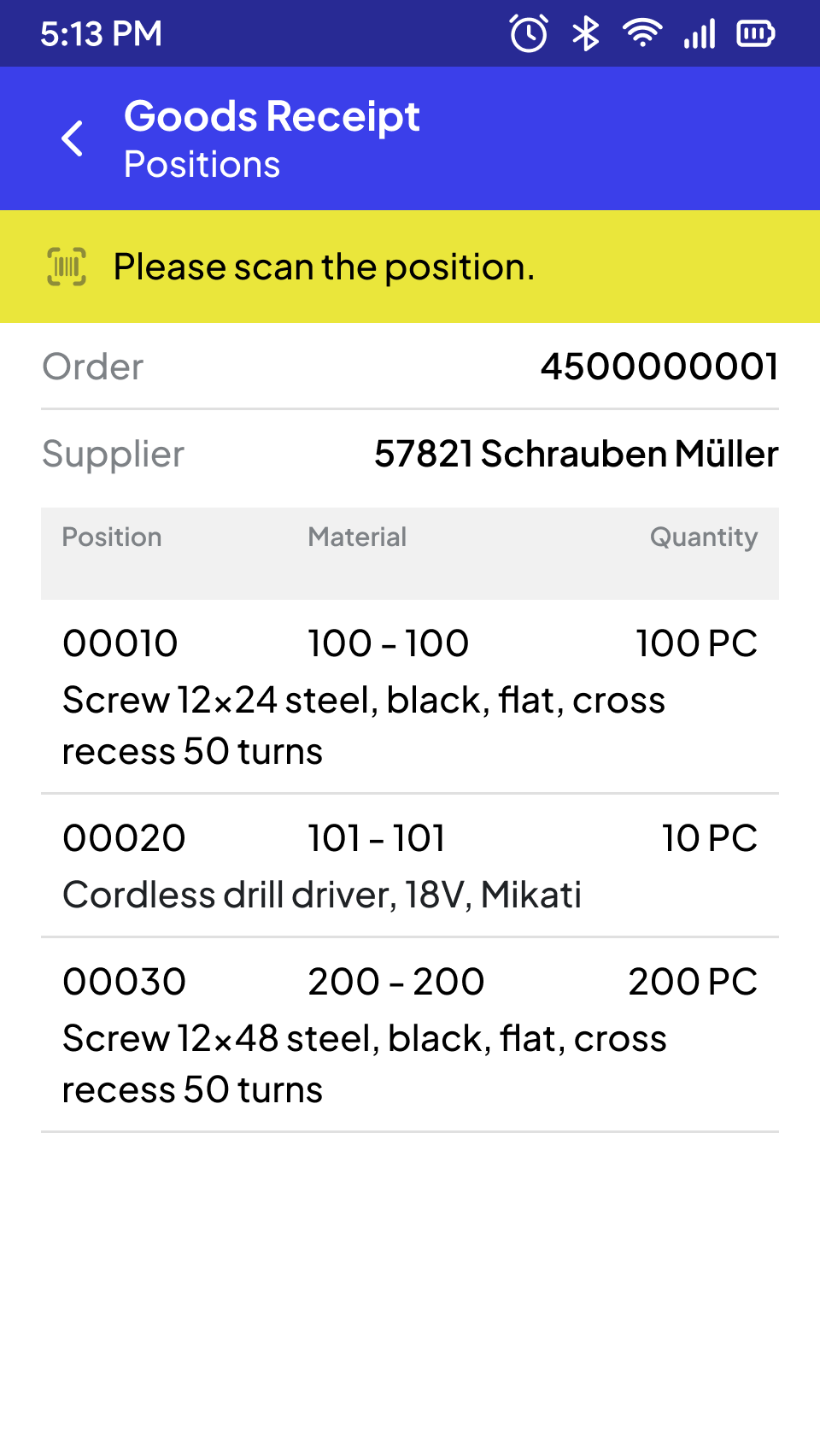
Order
Goods Receipt with Reversal
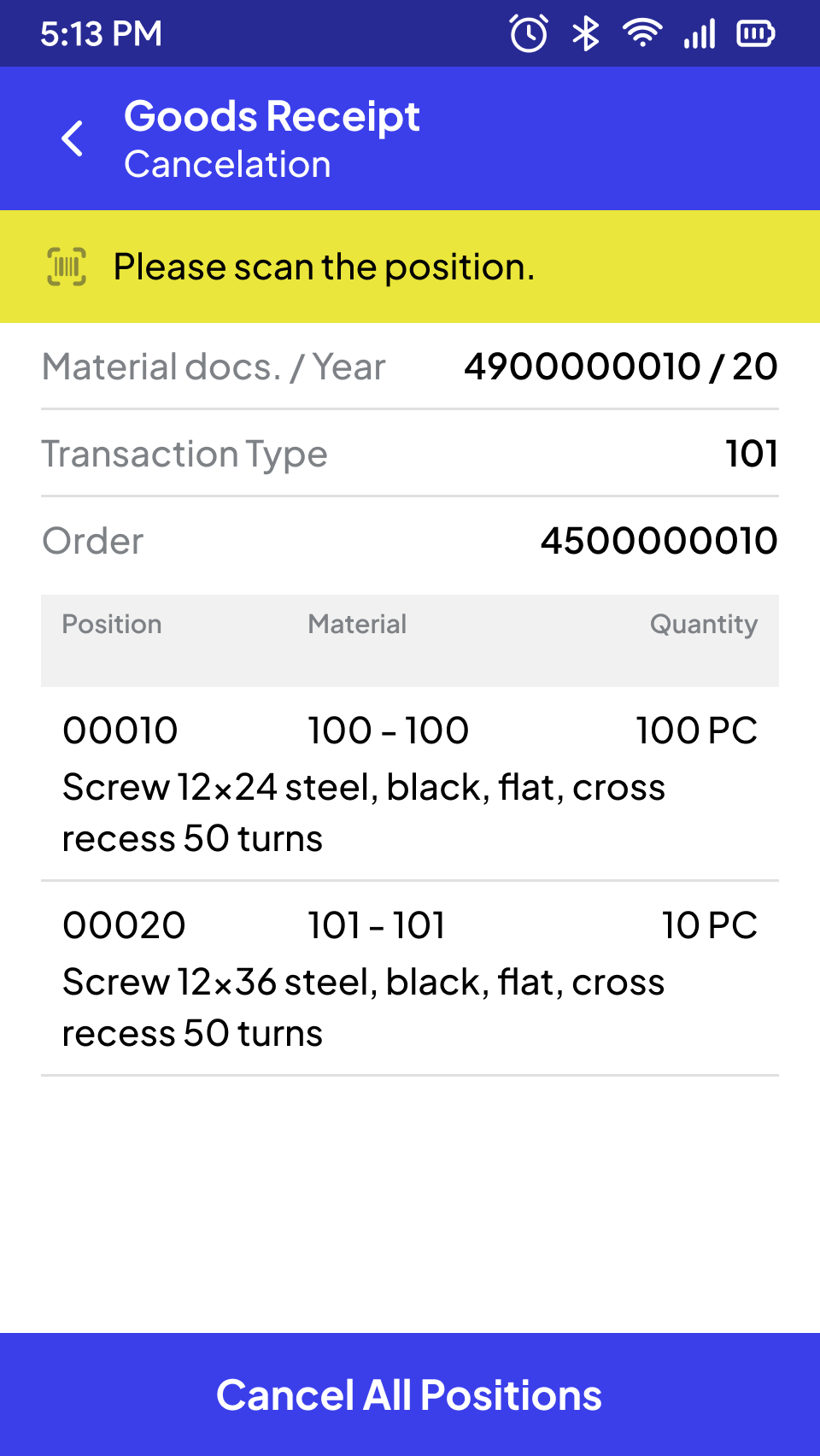
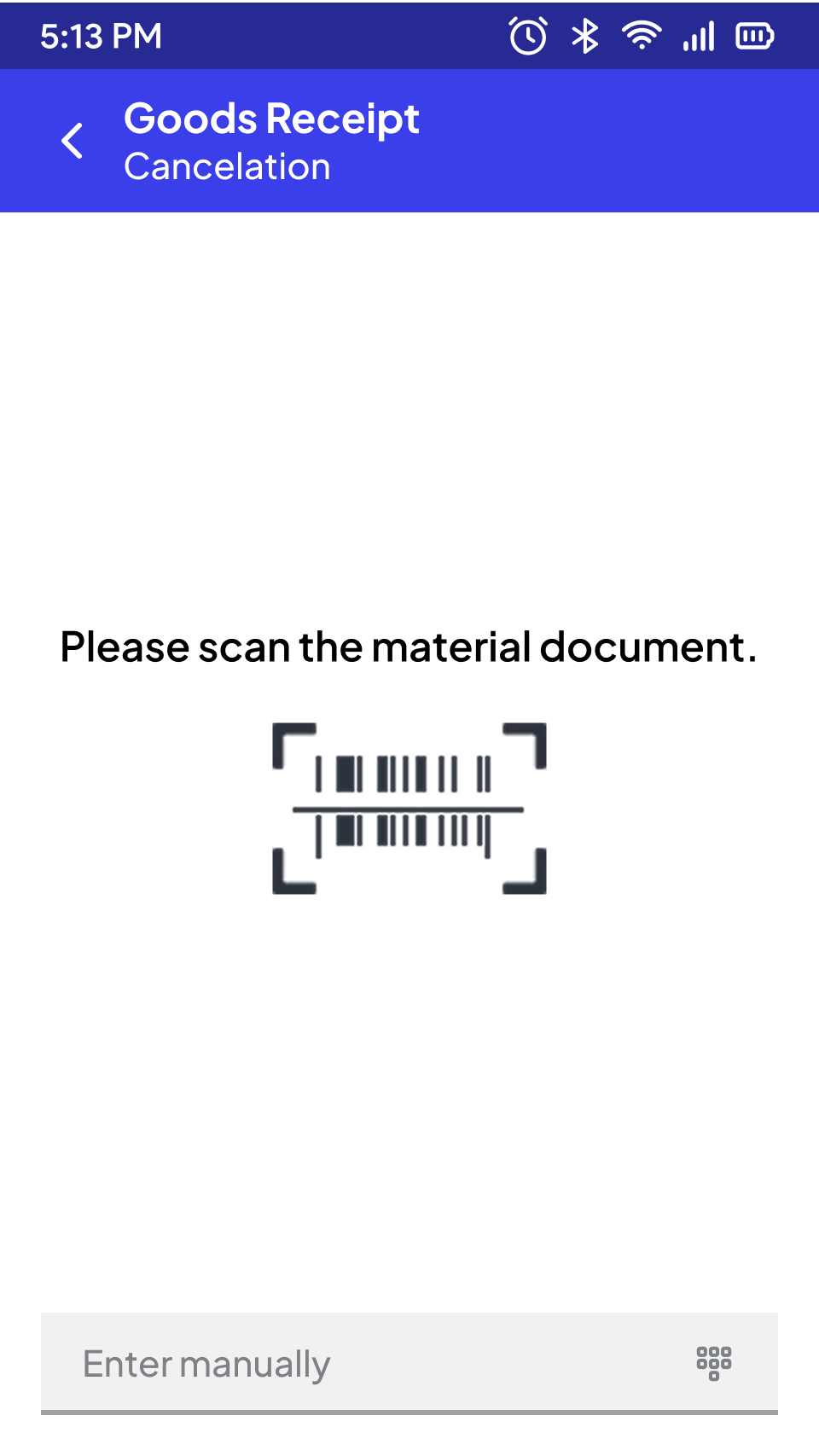
To cancel a goods receipt, the corresponding material document must be entered (via barcode scan, OCR entry, or manual entry) or determined using suitable filter criteria (e.g. material, posting date, vendor, reference document number). For the selected material document, all items are displayed with the relevant detailed information.
Optionally, individual items or the complete material document can be posted as a reversal in the SAP system.
Material Document
OCR Text Recognition
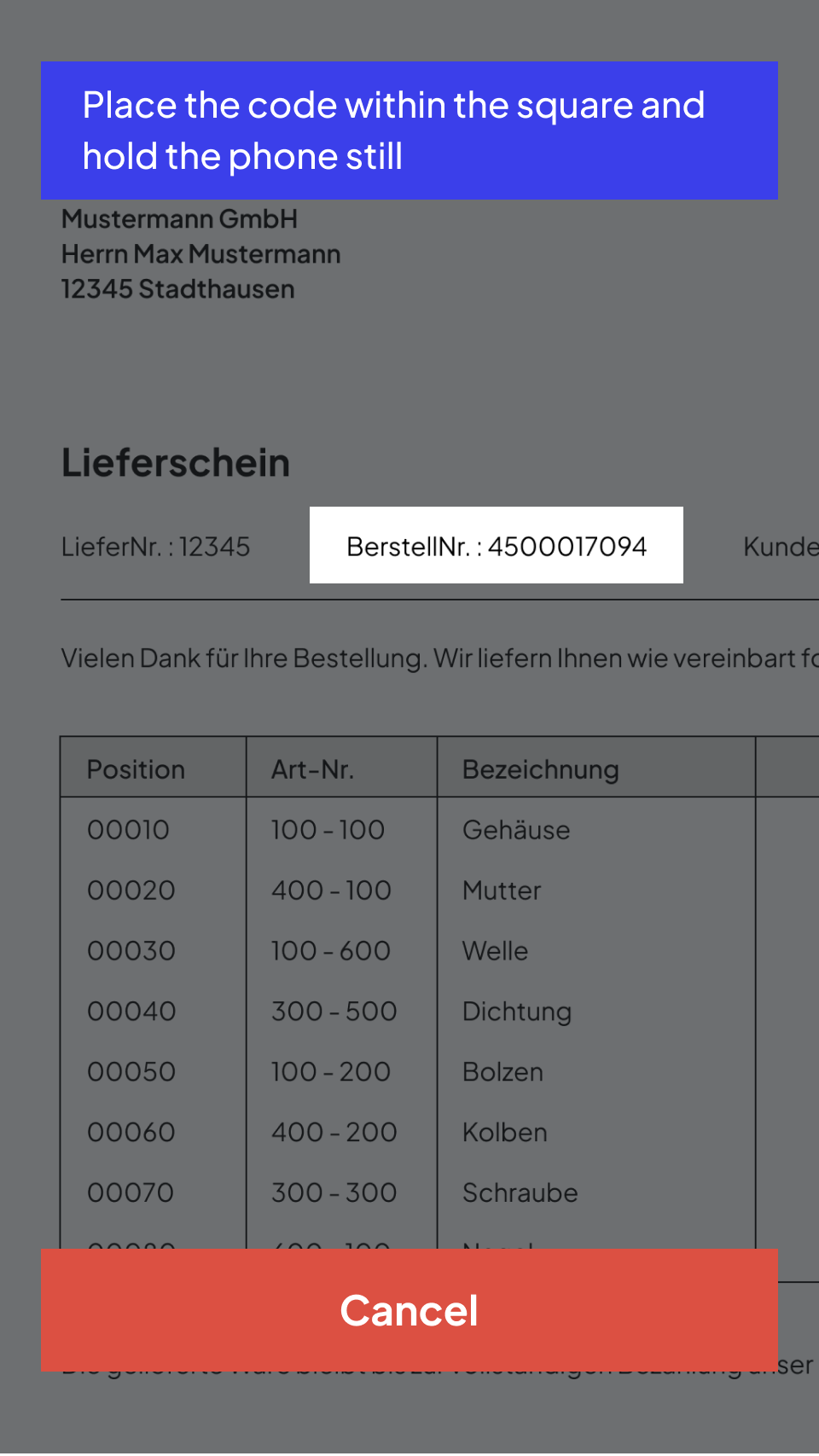
Suppliers’ paper delivery bills often include key details like the order number, sometimes as a barcode but often just as plain text. Manually entering these numbers into an app can be time-consuming and error-prone.
To streamline this process, Ontego offers automatic text recognition (OCR), leveraging the mobile device’s camera to function like a barcode scanner. Users simply hold the camera over the printed order number, and Ontego accurately converts it into digital text. The system intelligently recognizes specific formats, ensuring that dates or phone numbers aren’t mistakenly captured. This enhances efficiency, reduces errors, and simplifies data entry.
OCR
Subsequent Putaway
In storage bin-managed systems, the posted items in SAP automatically generate transfer requirements or transfer orders. The posted material can then be put away directly via the mobile solution, either via separate processes for putaway or as a variation directly with the GR posting.
If putaway is combined directly with goods receipt, putaway takes place on an item-by-item basis. After entering the item details, the appropriate storage bin can be determined and suggested immediately. The putaway is acknowledged with the confirmation of the destination storage bin (e.g. via barcode scan or manual entry).
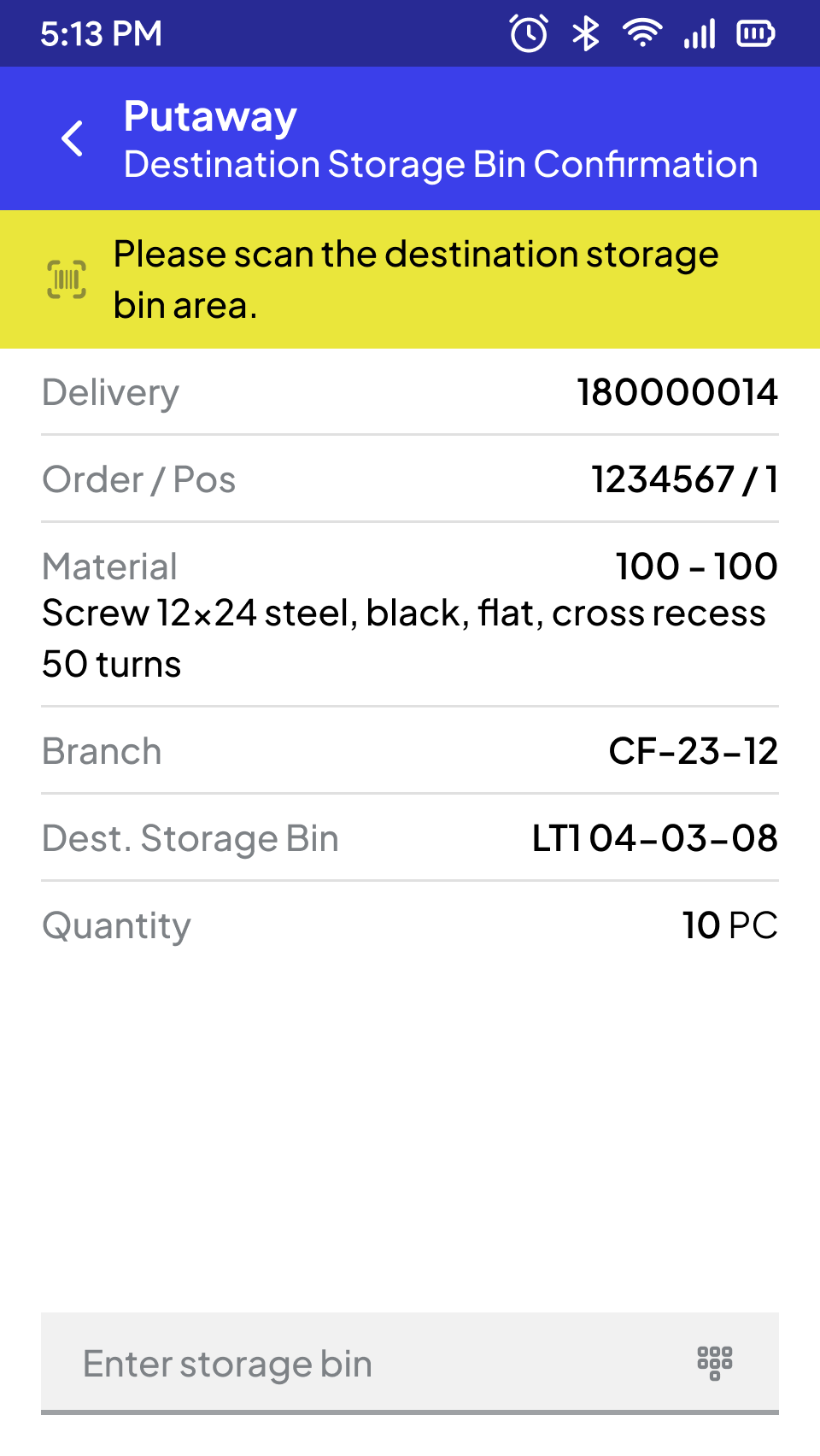
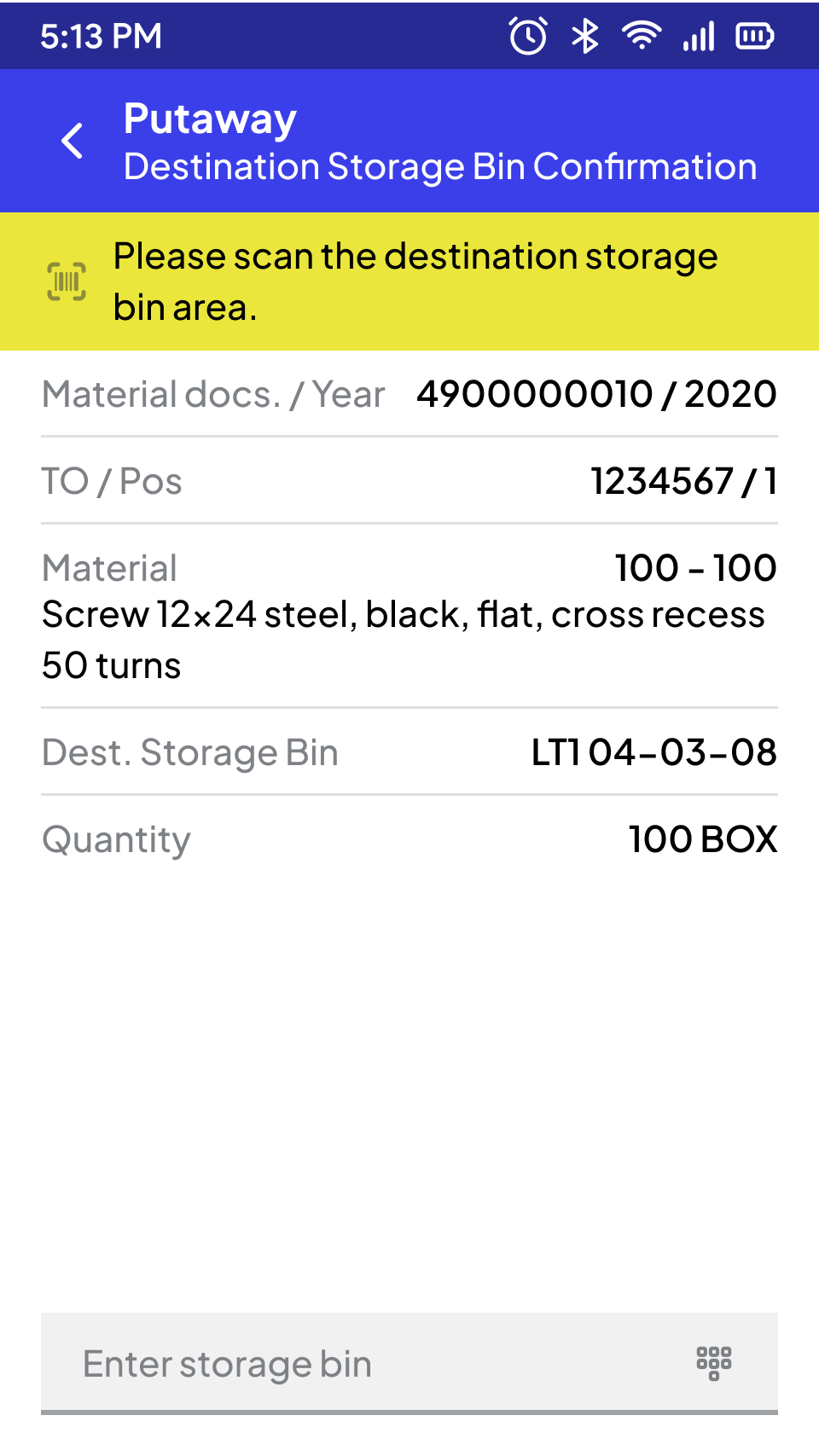
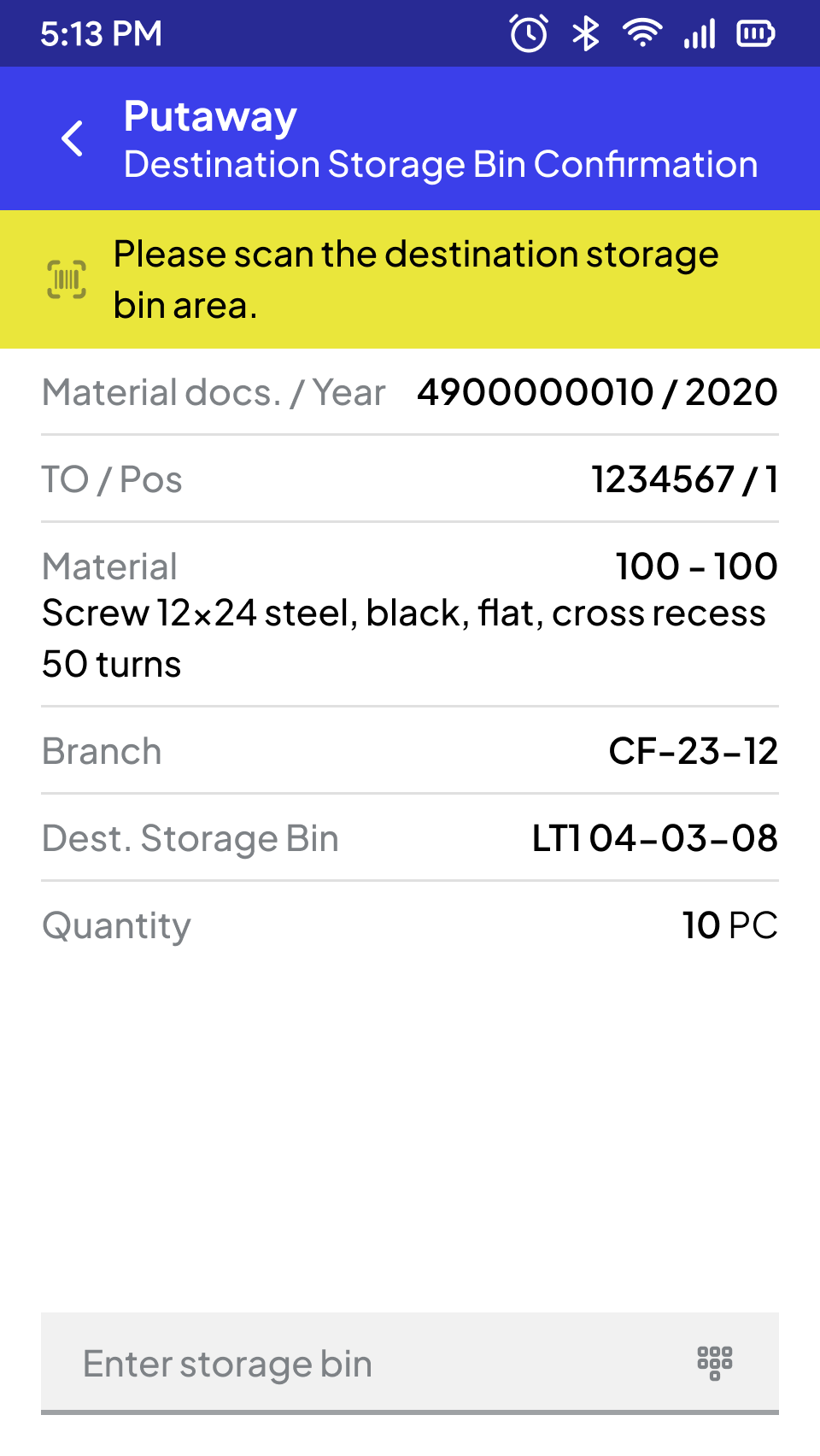
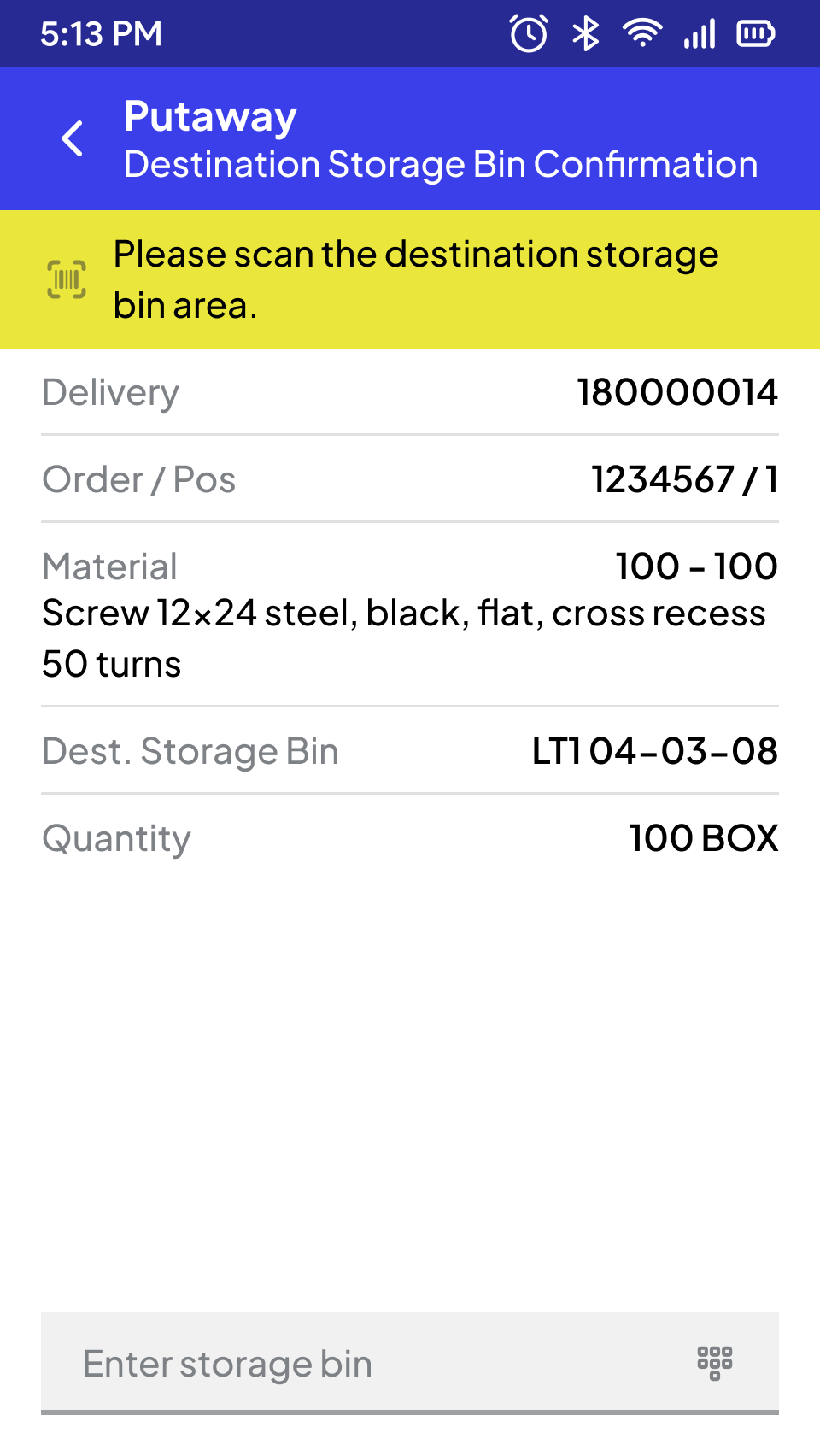
Storage Bin (WM)
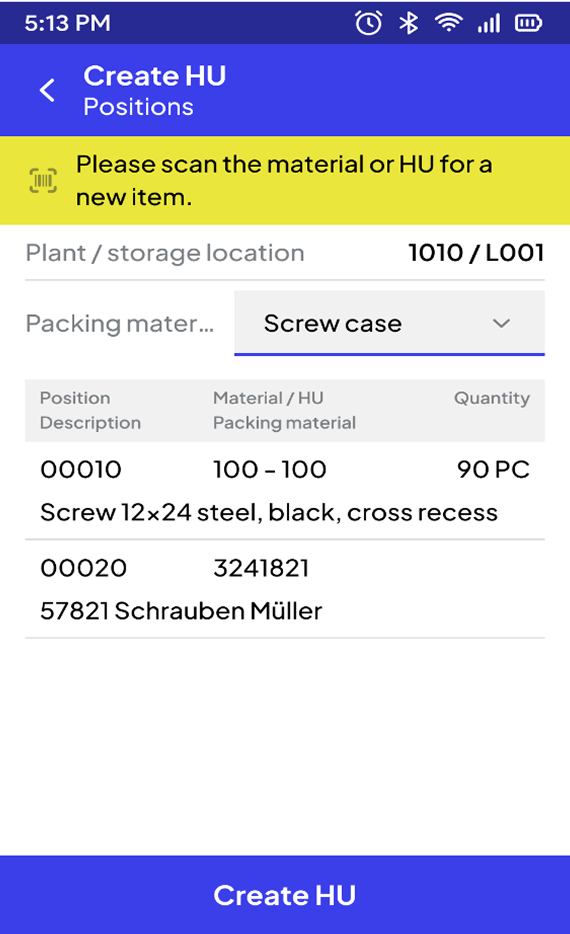
Automatic Creation of HUs or Manual Palletizing
Based on the packing instructions stored in SAP, the handling units or storage units are created automatically.
Alternatively, the actual packing units including the respective quantity can be determined via a palletizing function. In addition, a palletization (consolidation) deviating from the delivery can be entered in order to meet individual requirements. Derived from this, the handling units or storage units are created in SAP.
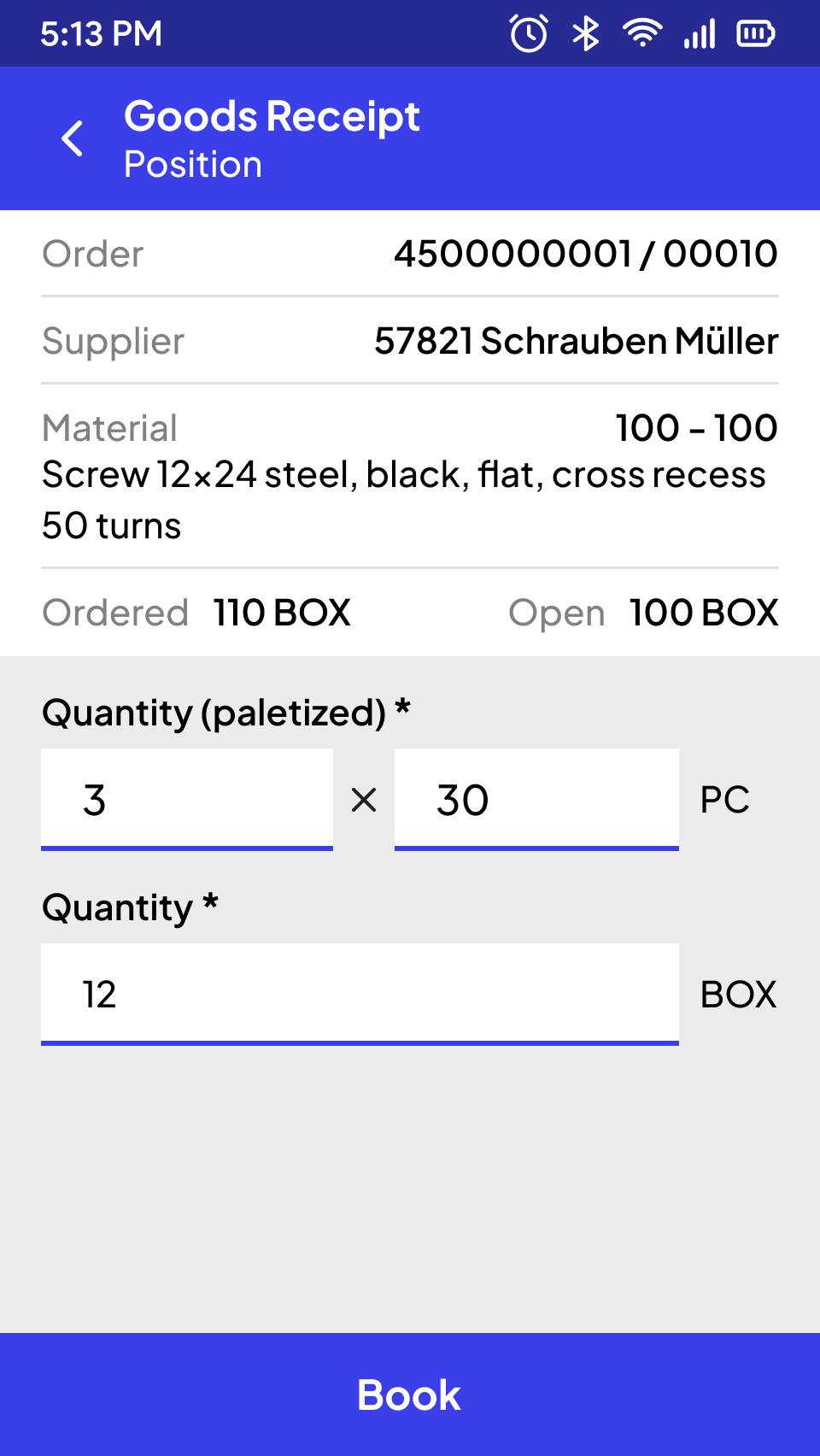
Pallets Detail
And many more processes
SCROLL DOWN
STEP BY STEP TO CREATE
THE PERFECT APP FOR YOU
Ready-made Templates
All SAP Modules
Modern Technology
Best User Experience
#1 Jump-start into your processes
We begin by analyzing your current processes in our interactive cockpit. With over 120 pre-built templates for all relevant SAP processes, we quickly identify your specific requirements and accurately assess the project.
#2 Workshop with the Cockpit
The real work starts – together with our project manager, we take a deep dive, analyze your intralogistics on-site and collaboratively develop an optimal, quickly implementable solution.
#3 Concept Development and Prototyping
Based on the workshop results, our experts create a tailored concept and develop prototypes. Then, we move directly into implementation.
What Warehouse People Say About Us
Real-world examples of efficiency improvement with Ontego for Mobile SAP.

Frequently Asked Questions About Ontego SAP
Discover everything about Ontego SAP to better understand its benefits, features, and industry applications.
How does Ontego's mobile warehouse solution compare to SAP's standard mobile tools?
Unlike standard SAP mobile tools that adapt the desktop interface, Ontego's mobile SAP warehouse solution is designed specifically for warehouse workflows. With intuitive touch-friendly screens, built-in barcode scanning, OCR text recognition, and optimized processes for goods receipt, putaway, and picking, workers complete tasks faster and with fewer errors. This improves efficiency while reducing training time.
Can I customize mobile SAP warehouse workflows to match my operations?
Yes. While Ontego offers over 120 prebuilt templates for rapid deployment and quick wins, the platform is highly flexible. Using the web-based Cockpit, you can easily customize and configure mobile workflows with a low-code approach, ensuring the solution perfectly aligns with your unique operational needs.
How does Ontego's warehouse app integrate with SAP MM, WM, or EWM in real time?
Can Ontego's mobile SAP solution work offline?
Yes. Ontego's mobile apps function offline, storing validated data on the device until a connection is restored. Once online, all information automatically syncs with SAP, ensuring uninterrupted operations even in low-connectivity warehouse zones.
What performance improvements can I expect from Ontego's mobile SAP warehouse solution?
Our clients have achieved significant, measurable results after implementing Ontego's mobile SAP warehouse solution: